UI Design · Interaction Design · Responsive Web
UI Design · Interaction Design · Responsive Web
Project Overview
Project Overview
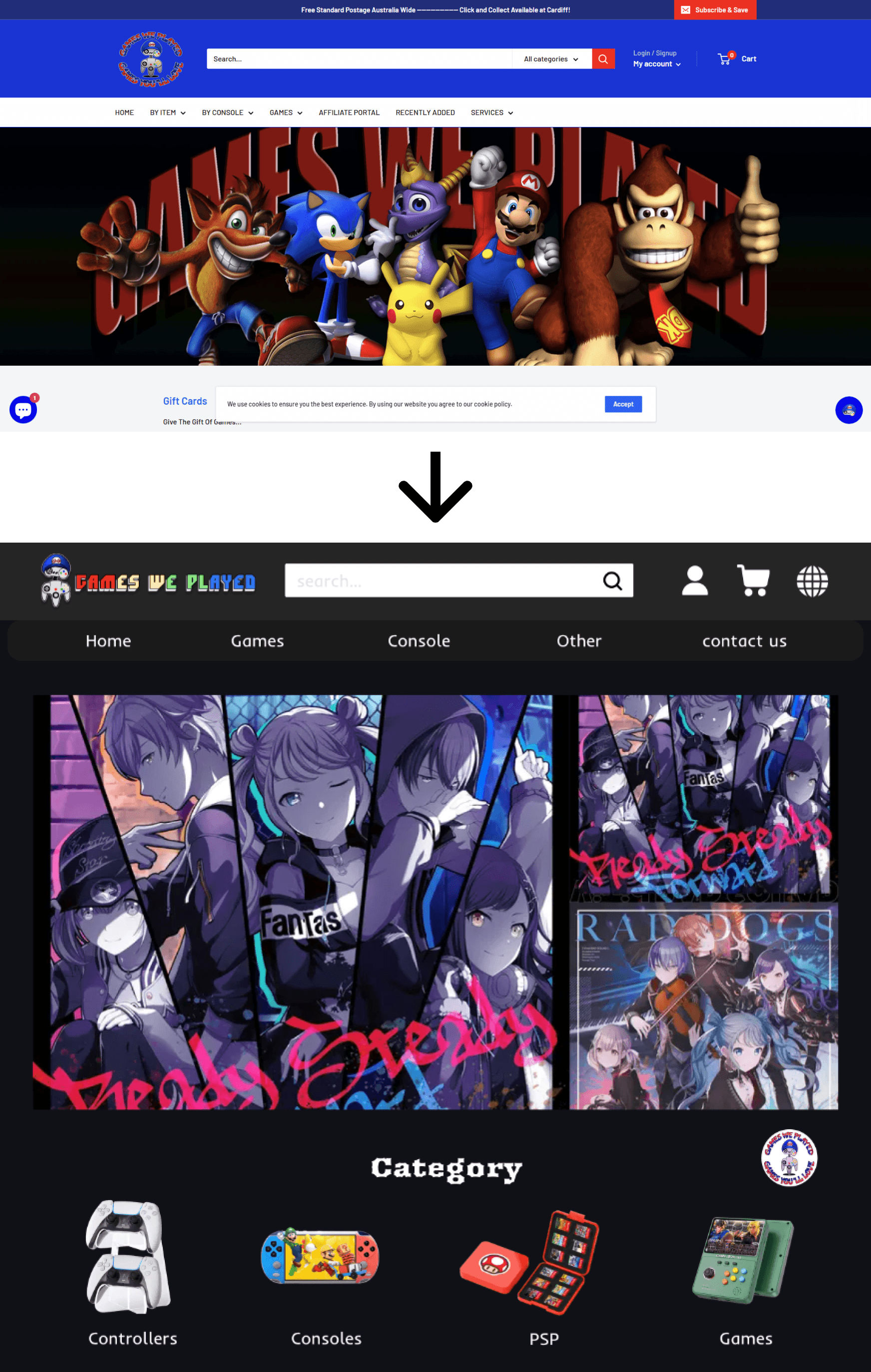
Games We Played is a responsive UI redesign project for a retro gaming e-commerce platform. The project focuses on improving product discovery, visual hierarchy, and the overall purchase experience across desktop and mobile devices.
The redesign addresses common UI issues found in the original website, including dense layouts, unclear filtering and sorting options, and a checkout flow that lacked clear action guidance. By refining layout structure, strengthening button hierarchy, and simplifying interactions, the new interface aims to make browsing and purchasing more intuitive, efficient, and visually engaging.
Games We Played is a responsive UI redesign project for a retro gaming e-commerce platform. The project focuses on improving product discovery, visual hierarchy, and the overall purchase experience across desktop and mobile devices.
The redesign addresses common UI issues found in the original website, including dense layouts, unclear filtering and sorting options, and a checkout flow that lacked clear action guidance. By refining layout structure, strengthening button hierarchy, and simplifying interactions, the new interface aims to make browsing and purchasing more intuitive, efficient, and visually engaging.
Scope
Scope
This project focused on the UI redesign of a retro gaming e-commerce website, covering the core purchase journey across desktop and mobile platforms.
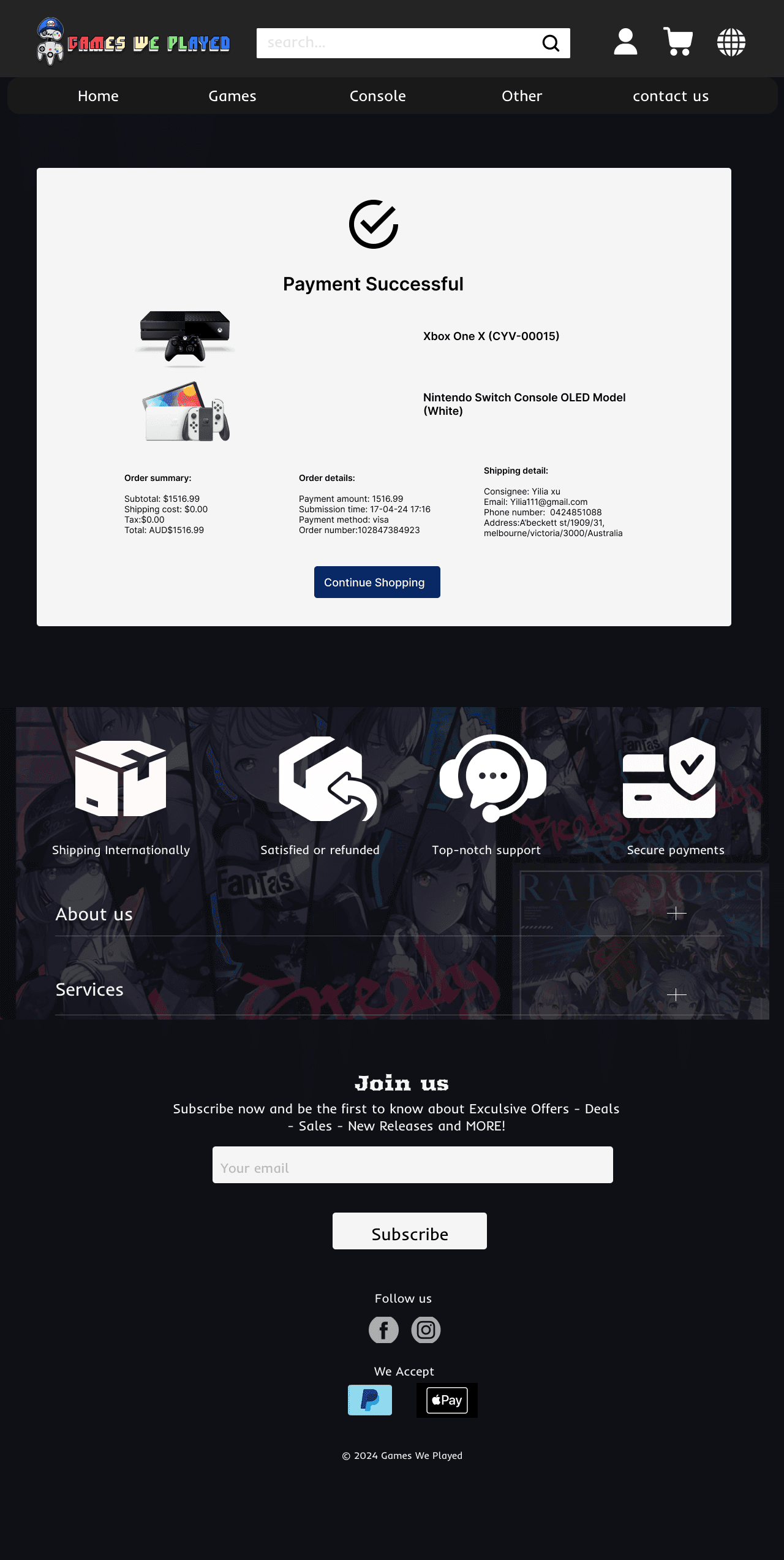
The scope included the homepage, product listing, product detail pages, shopping cart, and checkout flow. The design emphasized visual hierarchy, interaction clarity, and responsive layout adaptation to support efficient browsing and purchasing on different screen sizes.
This project focused on the UI redesign of a retro gaming e-commerce website, covering the core purchase journey across desktop and mobile platforms.
The scope included the homepage, product listing, product detail pages, shopping cart, and checkout flow. The design emphasized visual hierarchy, interaction clarity, and responsive layout adaptation to support efficient browsing and purchasing on different screen sizes.
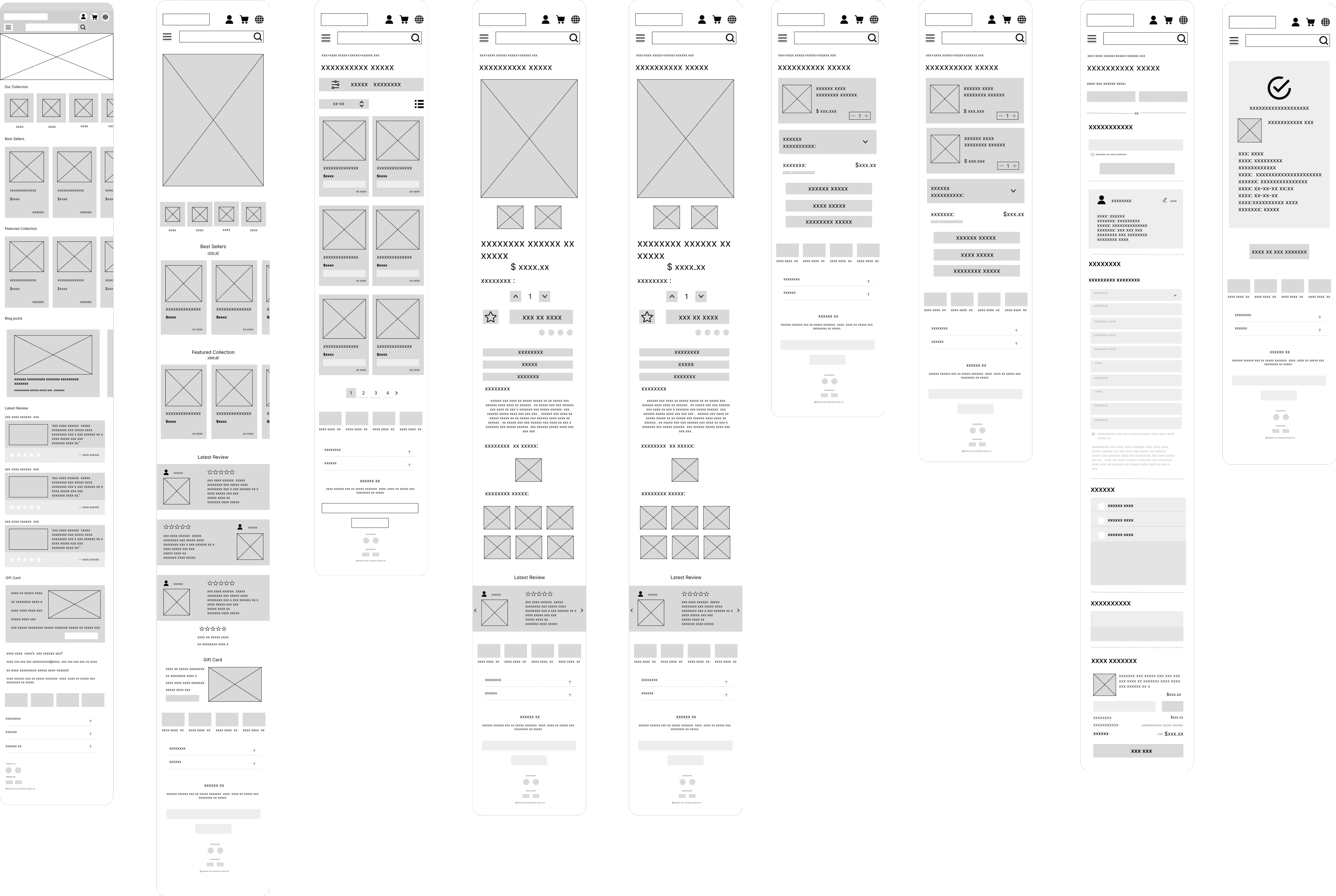
Wireframe Overview
Wireframe Overview
Key UI Decision 01 — Clarifying Product Hierarchy
Key UI Decision 01 — Clarifying Product Hierarchy
What changed
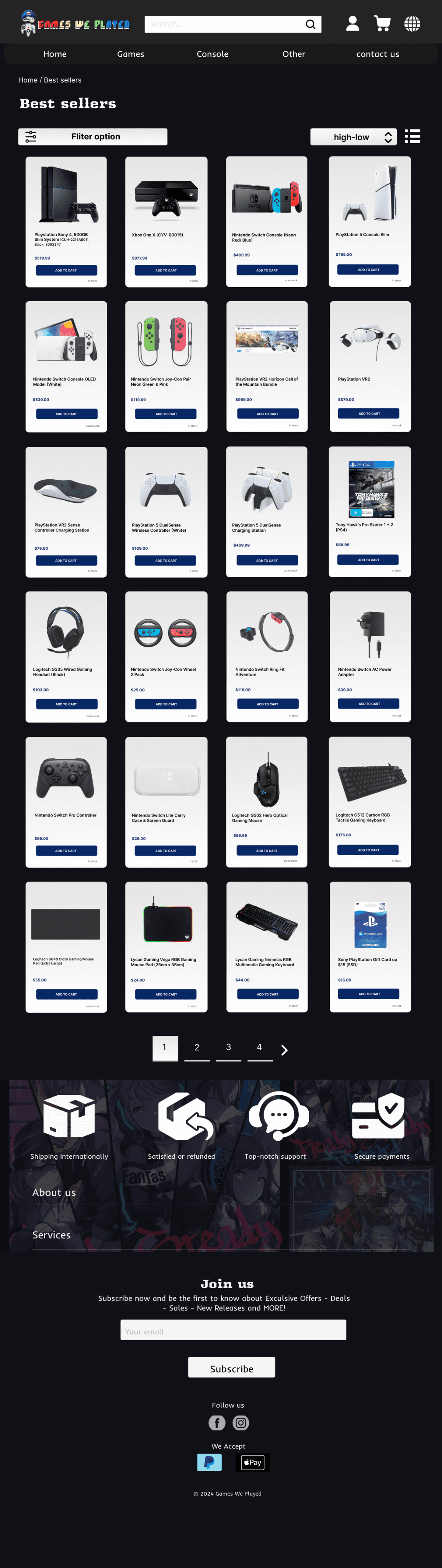
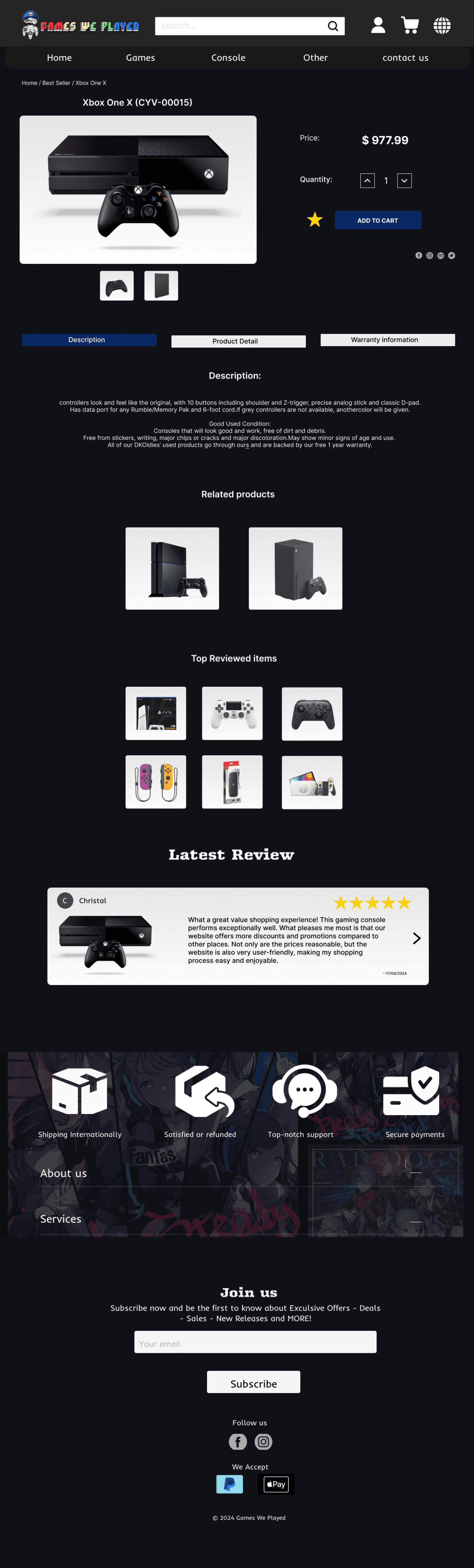
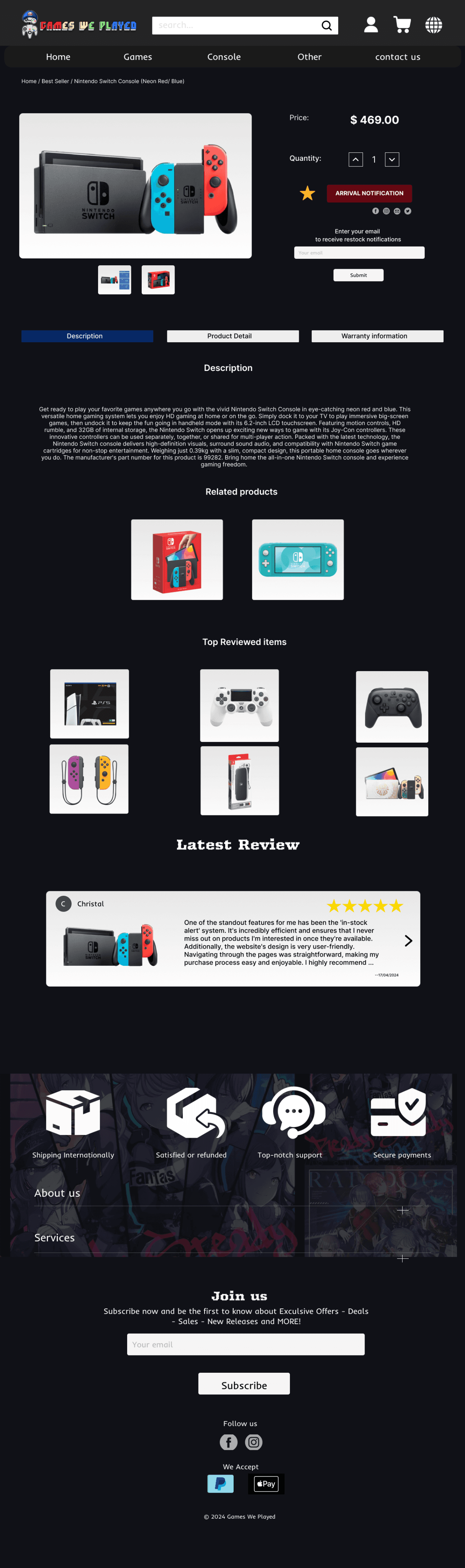
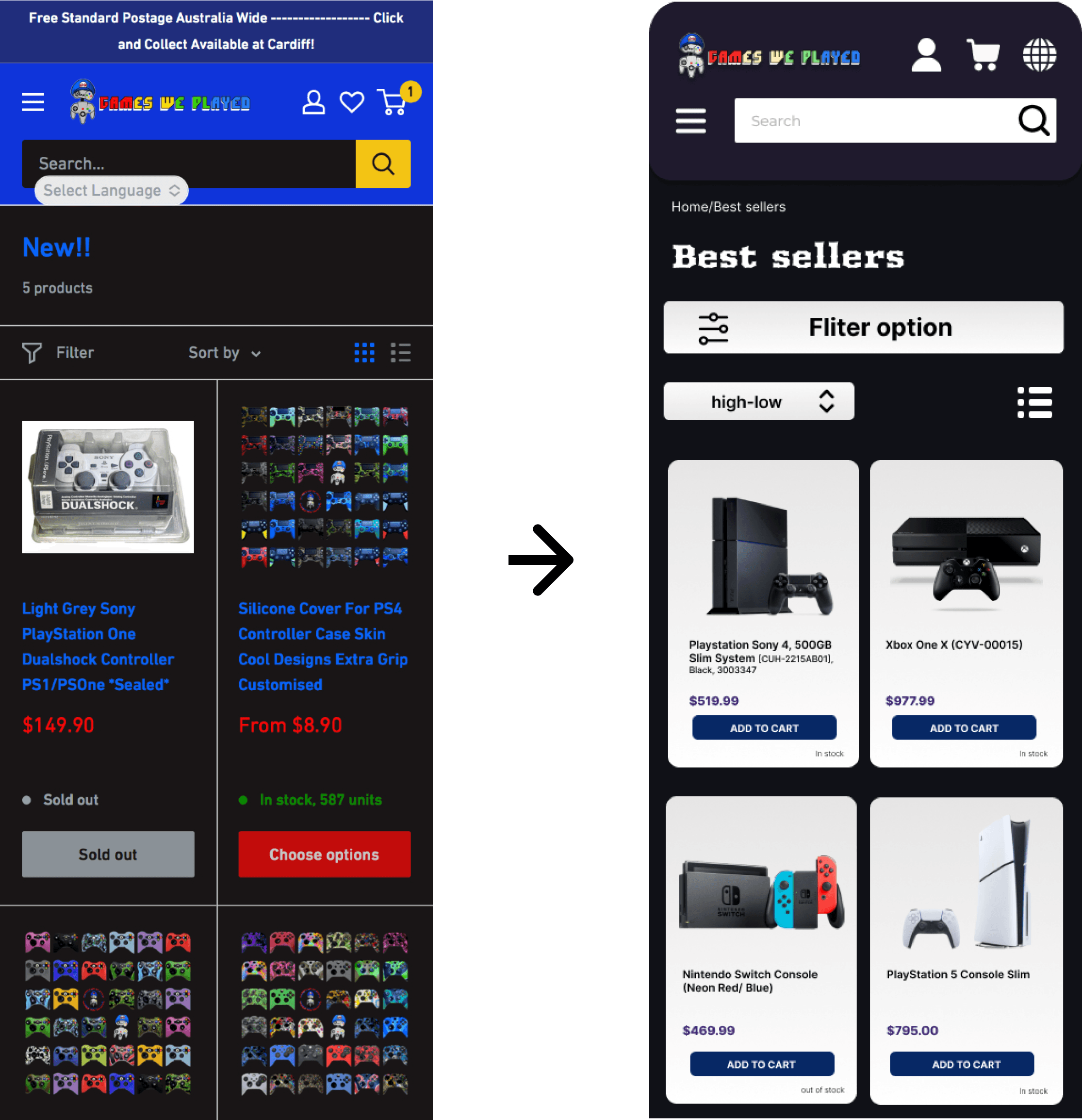
The layout was simplified to reduce visual noise and establish a clearer information hierarchy. Product cards were reorganized using consistent spacing, alignment, and sizing, allowing key elements such as product images, titles, and prices to stand out more prominently.
Why
The original interface presented too much information at once, which made it difficult for users to quickly scan and compare products. Improving visual hierarchy helps users focus on essential information and navigate the product list more efficiently.
Impact
With a clearer hierarchy and cleaner layout, users can identify products and compare options faster, reducing cognitive load and making the browsing experience more intuitive and comfortable.
What changed
The layout was simplified to reduce visual noise and establish a clearer information hierarchy. Product cards were reorganized using consistent spacing, alignment, and sizing, allowing key elements such as product images, titles, and prices to stand out more prominently.
Why
The original interface presented too much information at once, which made it difficult for users to quickly scan and compare products. Improving visual hierarchy helps users focus on essential information and navigate the product list more efficiently.
Impact
With a clearer hierarchy and cleaner layout, users can identify products and compare options faster, reducing cognitive load and making the browsing experience more intuitive and comfortable.
Key UI Decision 02 — Improving Filter & Sorting Visibility
Key UI Decision 02 — Improving Filter & Sorting Visibility
What changed
Filtering and sorting controls were repositioned to the top of the product list and redesigned with clearer labels and icons. Their visual prominence was increased to ensure users could easily access and understand these tools during product browsing.
Why
In the original interface, filtering and sorting options were either visually understated or ambiguously labeled, which increased cognitive effort during product discovery. Making these controls more visible and intuitive helps users narrow down options more efficiently.
Impact
With clearer and more accessible filtering and sorting tools, users can quickly refine product results based on their preferences, reducing browsing time and improving overall navigation efficiency.
What changed
Filtering and sorting controls were repositioned to the top of the product list and redesigned with clearer labels and icons. Their visual prominence was increased to ensure users could easily access and understand these tools during product browsing.
Why
In the original interface, filtering and sorting options were either visually understated or ambiguously labeled, which increased cognitive effort during product discovery. Making these controls more visible and intuitive helps users narrow down options more efficiently.
Impact
With clearer and more accessible filtering and sorting tools, users can quickly refine product results based on their preferences, reducing browsing time and improving overall navigation efficiency.
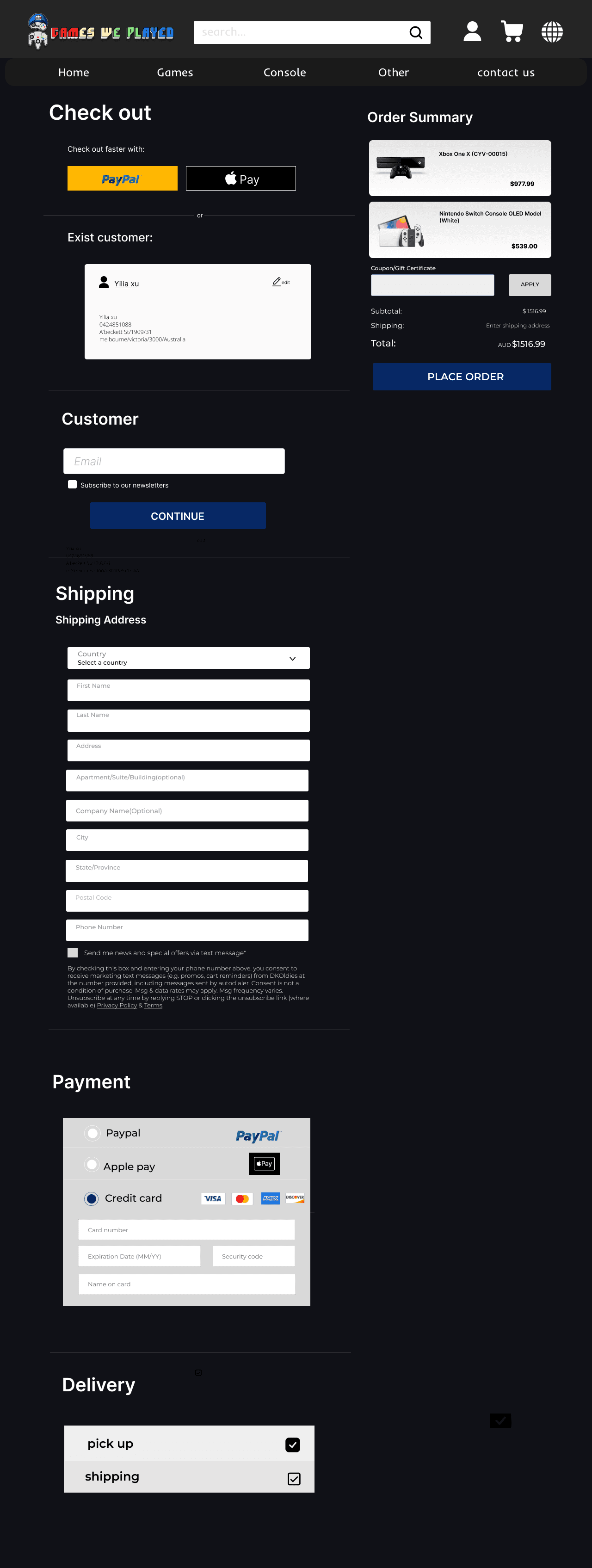
Key UI Decision 03 — Strengthening Checkout Action Hierarchy
Key UI Decision 03 — Strengthening Checkout Action Hierarchy
What changed
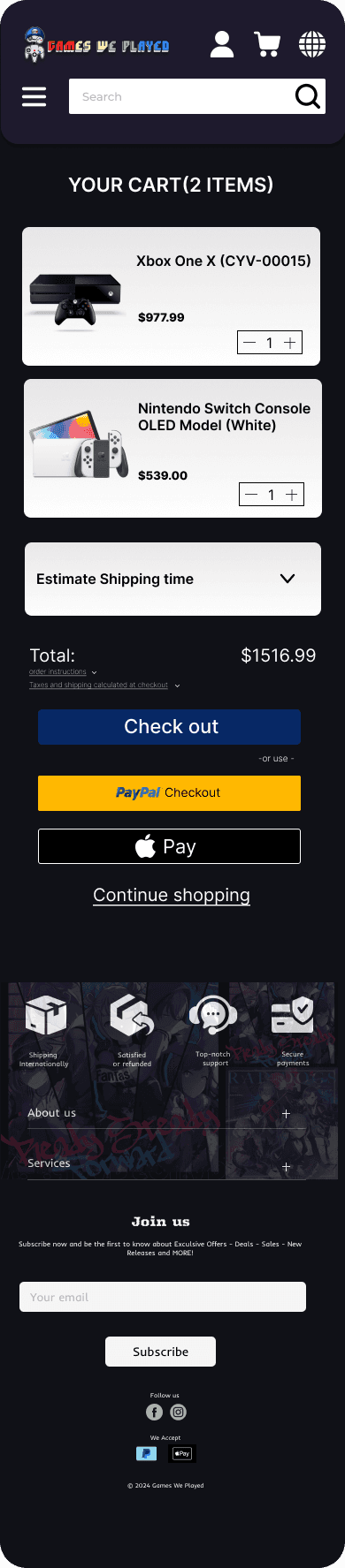
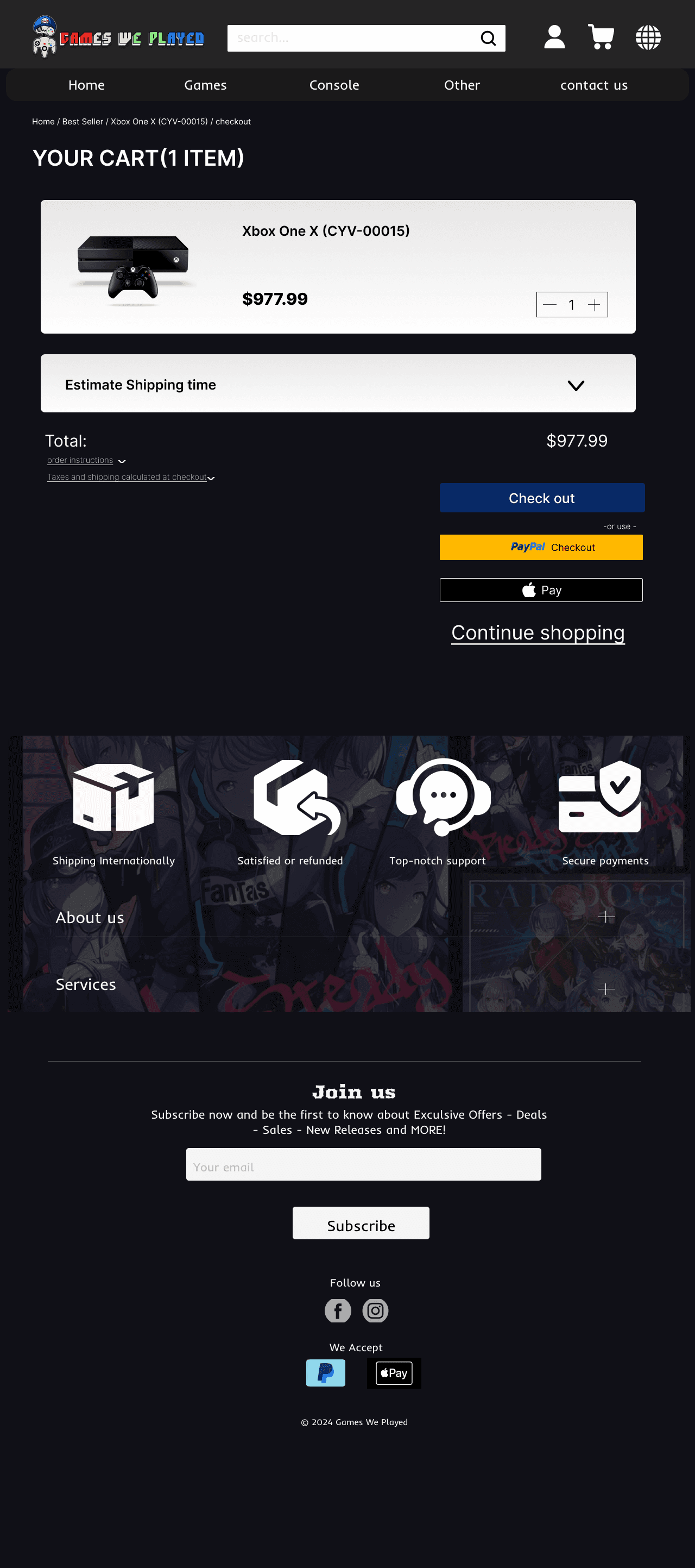
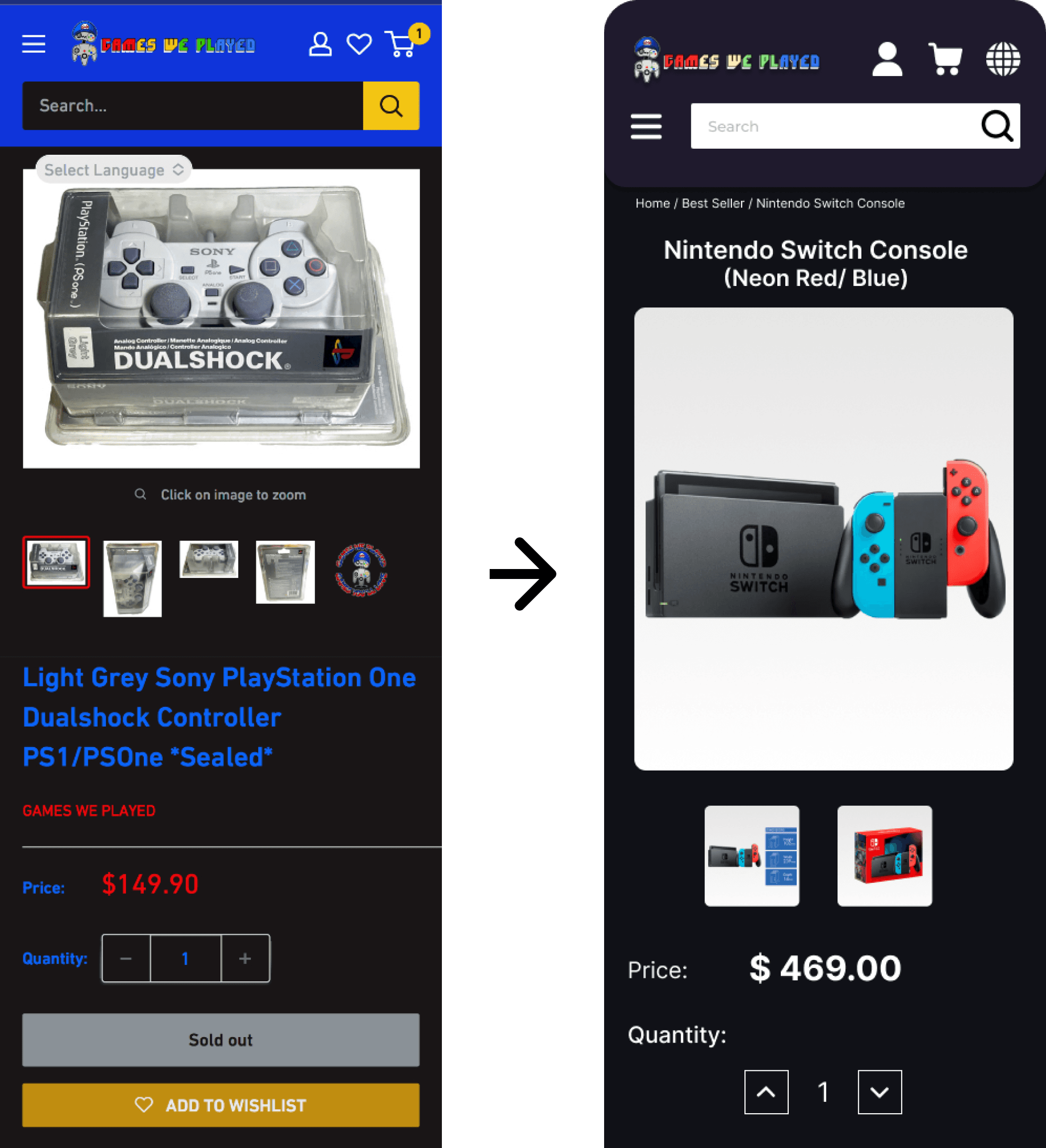
Primary purchase actions such as “Add to Cart” and “Checkout” were visually emphasized through clearer button hierarchy, size, and color contrast. Secondary actions, including “Continue Shopping,” were visually de-emphasized to reduce distraction and guide users toward task completion.
Why
In the original checkout flow, action buttons competed for attention, making it unclear which step users should take next. Strengthening action hierarchy helps users quickly understand the primary path forward and reduces hesitation during the purchase process.
Impact
With a clearer distinction between primary and secondary actions, users can move through the checkout process more confidently and efficiently, resulting in a smoother and more intuitive purchasing experience.
What changed
Primary purchase actions such as “Add to Cart” and “Checkout” were visually emphasized through clearer button hierarchy, size, and color contrast. Secondary actions, including “Continue Shopping,” were visually de-emphasized to reduce distraction and guide users toward task completion.
Why
In the original checkout flow, action buttons competed for attention, making it unclear which step users should take next. Strengthening action hierarchy helps users quickly understand the primary path forward and reduces hesitation during the purchase process.
Impact
With a clearer distinction between primary and secondary actions, users can move through the checkout process more confidently and efficiently, resulting in a smoother and more intuitive purchasing experience.
Final UI Screens
Final UI Screens
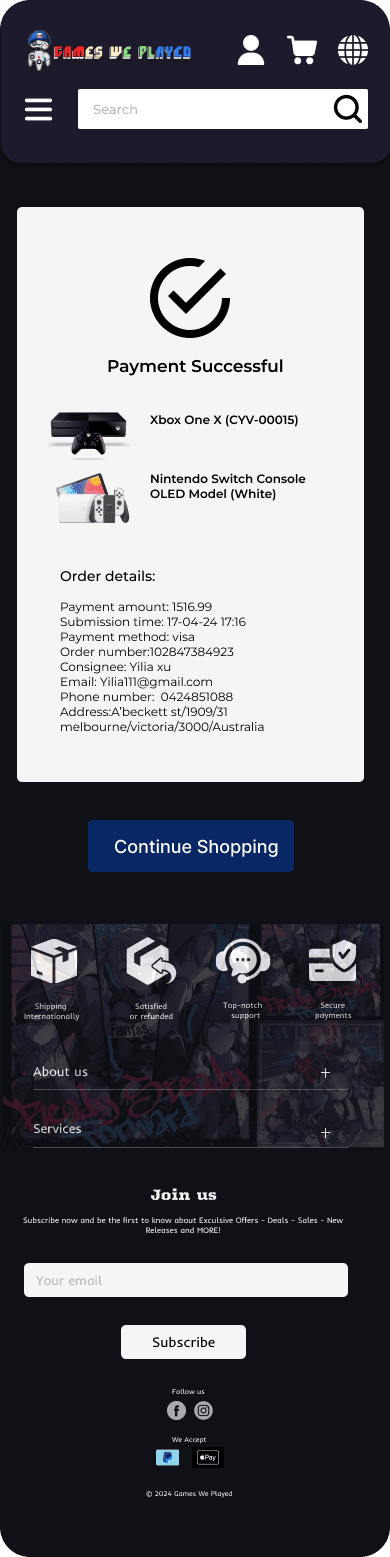
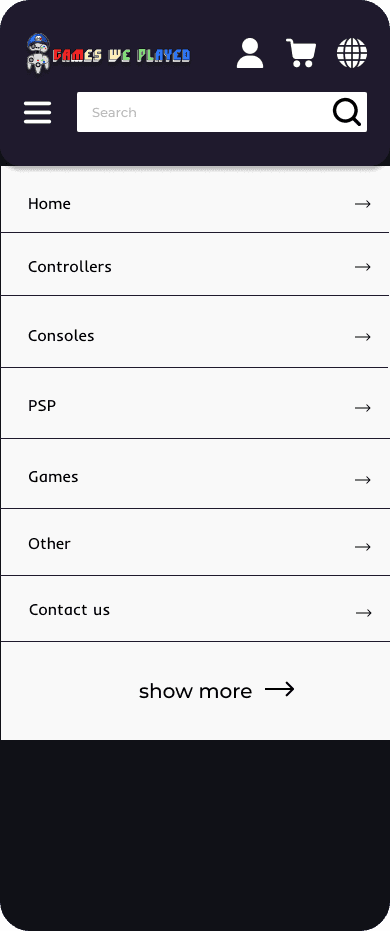
Responsive high-fidelity UI designs across desktop and mobile platforms, covering the core e-commerce purchase flow.
Responsive high-fidelity UI designs across desktop and mobile platforms, covering the core e-commerce purchase flow.
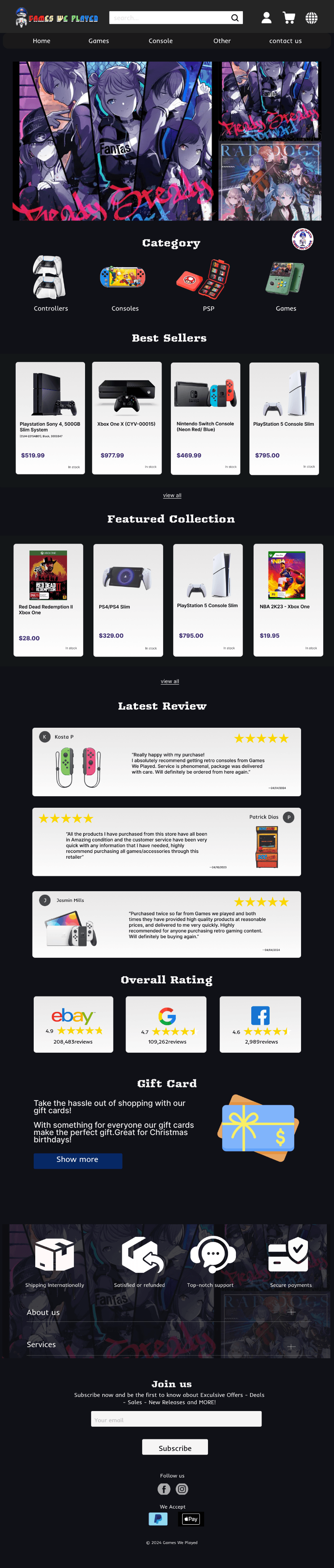

Key screens include homepage, category browsing, product detail, cart, and checkout.
Key screens include homepage, category browsing, product detail, cart, and checkout.